
Best Internet Speed for IPTV Streaming (2026 Guide)
IPTV streaming experts with 5+ years of hands-on experience testing IPTV players, apps, and services across Android, iOS, Firestick, and Smart TV platforms.
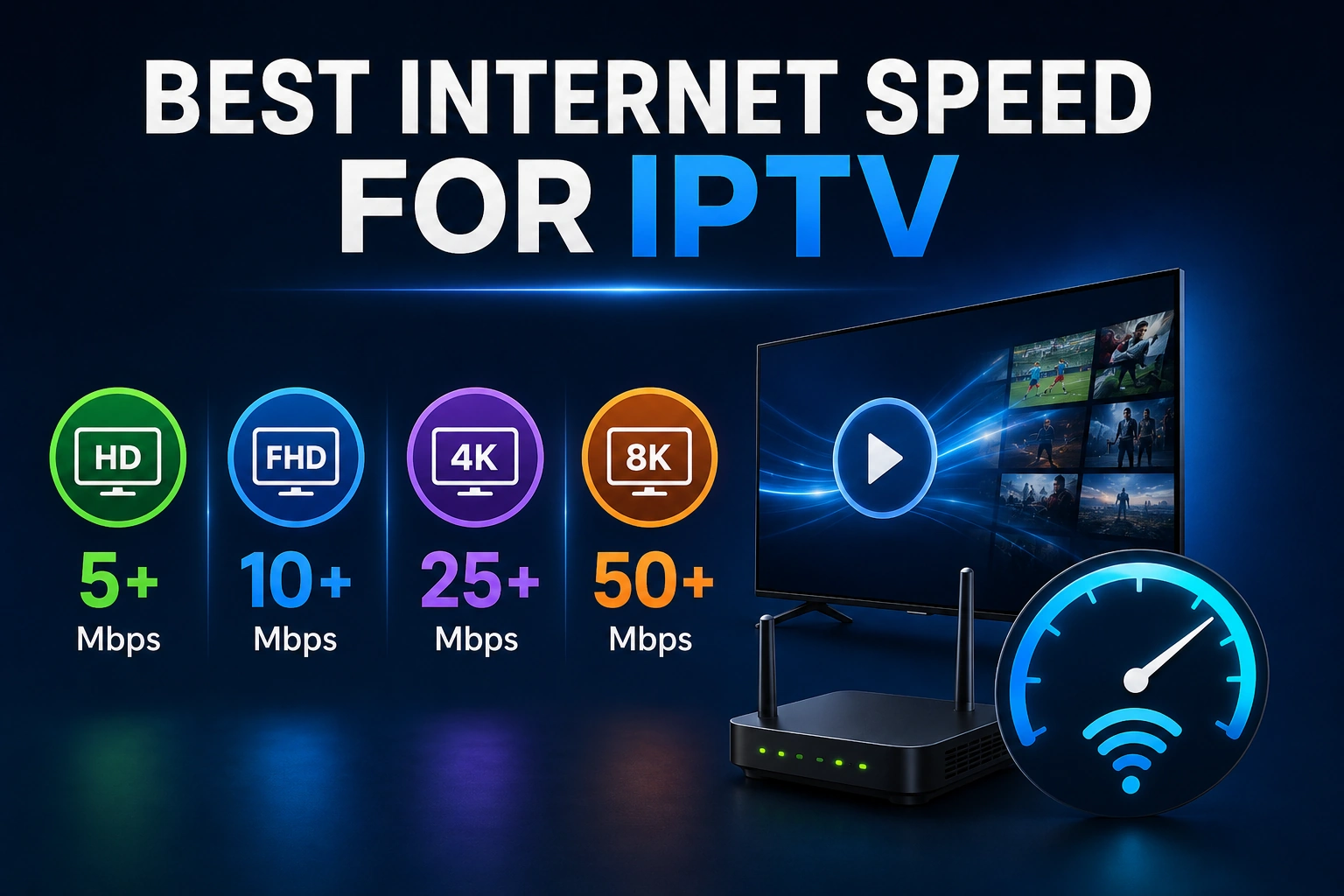
One of the most common questions from new IPTV users is how much internet speed they really need. The answer depends on what you want to watch and how many devices will be streaming simultaneously. This guide breaks down the exact speed requirements for every scenario.
Key Takeaways
- 10 Mbps minimum for HD, 25 Mbps minimum for 4K IPTV streaming
- Multi-screen requires additive bandwidth (25 Mbps x devices)
- Network stability matters more than peak download speed
- Wired Ethernet outperforms Wi-Fi even at lower speeds
- Test speed on your actual streaming device for accurate results
In This Article
For IPTV Smarters Pro IPTV streaming, you need at least 10 Mbps for HD (720p-1080p), 25 Mbps for 4K, and 50+ Mbps for multi-screen streaming on 2+ devices. These are minimum requirements — actual performance depends on network stability, Wi-Fi vs Ethernet, and concurrent household usage. Always test your speed at fast.com and use a wired connection for best results.
What Are the Minimum vs Recommended Speeds for IPTV?
| Quality | Minimum Speed | Recommended Speed |
|---|---|---|
| SD (480p) | 3 Mbps | 5 Mbps |
| HD (720p) | 5 Mbps | 10 Mbps |
| Full HD (1080p) | 10 Mbps | 15 Mbps |
| 4K (2160p) | 25 Mbps | 35 Mbps |
| Multi-screen (2x HD) | 20 Mbps | 30 Mbps |
| Multi-screen (2x 4K) | 50 Mbps | 75 Mbps |
Why Speed Alone Is Not Enough
Internet speed is only one factor in streaming quality. Network stability, latency, jitter, and packet loss also affect performance. You can have 100 Mbps internet but still experience buffering if your Wi-Fi signal is weak, your ISP throttles streaming traffic, or your network has high latency. A wired Ethernet connection often performs better than Wi-Fi even at lower speeds.
Ethernet Over Wi-Fi
How to Test Your Internet Speed
- fast.com — Netflix's speed test, checks real streaming speed
- speedtest.net — Ookla's comprehensive speed test
- Test on your streaming device — Run the speed test app directly on your Firestick or Android TV for accurate results
- Test at different times — Speeds vary during peak hours (7-11 PM)
What Are Common Speed-Related Issues for IPTV?
Buffering every few minutes
Your speed may be borderline for the stream quality you selected. Try lowering the quality in IPTV Smarters Pro settings or upgrade your internet plan.
Picture quality drops frequently
Variable speeds cause the app to downscale quality to match available bandwidth. A stable connection is more important than raw speed.
Channels take long to load
Slow channel switching is often caused by high latency rather than low speed. Switch to a faster DNS like Cloudflare (1.1.1.1) or use a VPN for more consistent routing.
ISP Throttling Can Slow Your Stream
What Tips Can Improve Your Internet Speed for IPTV?
- Use wired Ethernet instead of Wi-Fi whenever possible
- Place your router in a central location away from interference
- Use a VPN to prevent ISP throttling
- Limit other devices' bandwidth usage during streaming
- Upgrade to a higher-speed plan if consistently below requirements
Frequently Asked Questions
Is 25 Mbps enough for 4K IPTV?
Yes, 25 Mbps is the minimum required speed for streaming 4K IPTV content. However, to avoid buffering during peak hours or when other devices are using the network, a speed of 35 Mbps or higher is recommended. Network stability and a wired connection matter just as much as hitting that 25 Mbps threshold.
Does Wi-Fi speed affect IPTV more than download speed?
Wi-Fi speed and download speed are related but not the same. Your download speed is the maximum your ISP delivers to your router; Wi-Fi speed is what actually reaches your device. A weak Wi-Fi signal can cut your usable speed in half, making a 100 Mbps plan perform like 30 Mbps. That is why a wired Ethernet connection is recommended for consistent IPTV streaming.
Can multiple streams share the same connection?
Yes, but each stream consumes its own bandwidth. A household streaming one HD channel (10 Mbps), one 4K channel (25 Mbps), and browsing the web simultaneously needs at least 40 Mbps total. For two 4K streams at once, plan for 50 Mbps minimum. Use your router's QoS settings to prioritize IPTV traffic if multiple people are using the connection at the same time.
How do I test if my internet is fast enough for IPTV?
Run a speed test on the same device you use for IPTV streaming, not your phone. Use fast.com to check your real streaming speed or speedtest.net for a general benchmark. If you get 10 Mbps or more, HD streaming should work; 25 Mbps or more enables 4K. Test at different times of day (especially during peak evening hours) to see if your speed drops when you need it most.
Ready to Start Streaming?
Download IPTV Smarters Pro for free and enjoy live TV, movies, and series on all your devices.
Download IPTV Smarters ProConclusion
The right internet speed for IPTV depends on your streaming quality goals and household usage. Start with 25 Mbps for reliable HD streaming and upgrade as needed for 4K or multi-screen. If you are still experiencing buffering after confirming your speed meets these requirements, check our complete guide to fixing IPTV buffering for step-by-step troubleshooting. For deeper optimization, see our guide to improving streaming quality. Ready to try it? Download IPTV Smarters Pro for free.
IPTV Smarters Pro Team
IPTV streaming experts with 5+ years of hands-on experience testing IPTV players, apps, and services across Android, iOS, Firestick, and Smart TV platforms.
The IPTV Smarters Pro Team has been covering IPTV technology since 2021. We test every app, feature, and device ourselves to provide accurate, practical guides. Our reviews and tutorials have helped over 100,000 readers set up IPTV on their devices.